

FAQ
Printing Problems
Why isn't the filament coming out of the nozzle?
There are several possible reasons why filament isn't coming out of the nozzle. The most common ones are:
Print temperature is too low
Increase the nozzle temperature. To find out the temperature range in which the filament performs best, you can print a temperature tower for that material.
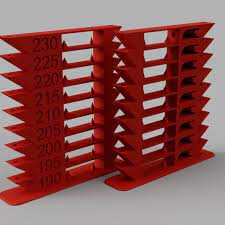
Clogged nozzle
This problem can occur, for example, if the filament contains glitter or wood particles, or if it has become contaminated due to improper storage (always store filament in an airtight bag). In this case, you can try a “cold pull,” which involves pulling the filament—which has cooled to a certain extent—out of the nozzle.
The filament is not being fed through the extruder
This may be caused by the knurling pressure being too weak or too strong. In the latter case, the filament may be scraped, causing a buildup of particles that can clog the Teflon tube. For flexible filaments (FiberFlex, MattFlex, TPE, TPU), excessive pressure can cause the filament to wrap around the knurling wheel.
The nozzle is too close to the table
Lowering the bed or raising the nozzle will allow the filament to flow out of the nozzle, preventing the material from getting clogged.
Why are there threads left on the printout?
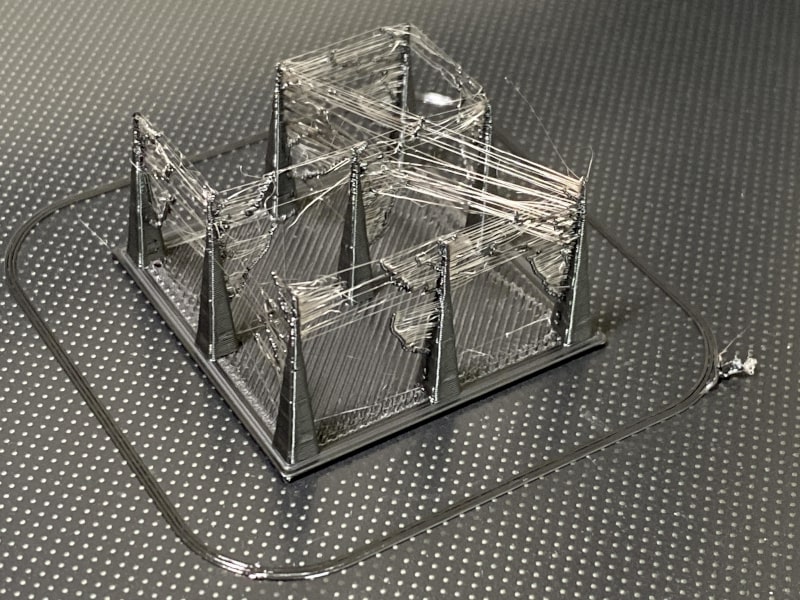
Retraction Settings
Setting the retraction correctly essentially comes down to two factors:
- retraction length
- retraction speed
The retraction length specifies how many millimeters the material should be retracted during the retraction process. This value will vary depending on the material and the type of extruder. A “direct” extruder requires a shorter retraction (about 0.5–1.5 mm). A Bowden extruder—one in which a long Teflon tube runs between the extruder and the nozzle—requires a longer retraction, e.g., 5 mm. Too long a retraction can lead to clogging if the molten filament is pulled back into the cold zone of the hotend.
The retraction speed determines how dynamically this movement should be performed. If retraction is too slow, it will not be effective because it will allow filament to continue flowing out before it is retracted. If it is too fast, it may cause the nozzle to clog or leave a fragment of molten polymer inside it. A fast retraction can also cause the filament to be damaged by the extruder gear.
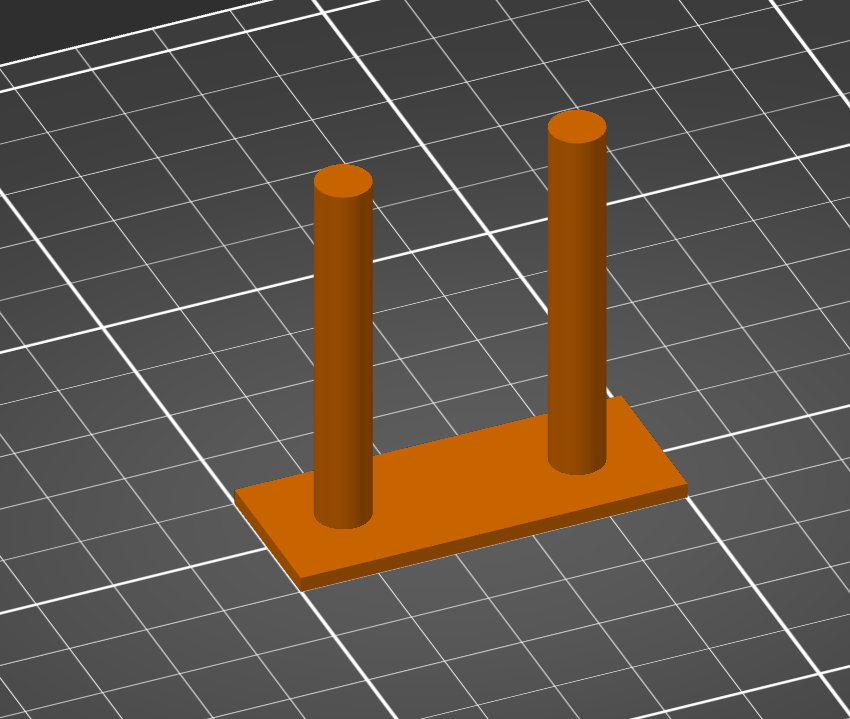
Finding the right setting often requires several attempts, and retraction tests are helpful in this process.
Temperature too high
An overheated filament will have a higher viscosity, which will consequently reduce the effectiveness of retraction. Gradually lowering the temperature—for example, by 5°C—should help resolve the issue.
Moist filament
Moisture absorbed by the filament from the environment can also cause stringing during retraction. Water droplets present in the nozzle cause a pressure drop, leading to uncontrolled filament flow and reduced retraction efficiency.
Filament vs. Filamentation
Some types of filament are more prone to stringing than others. Examples of such filaments include:
- FiberWood
- polyesters (PET-G, PCTG, CPE-HT)
- FiberFlex (due to the recommended short retraction)
Why don't the print layers bond together, or why do they crack?
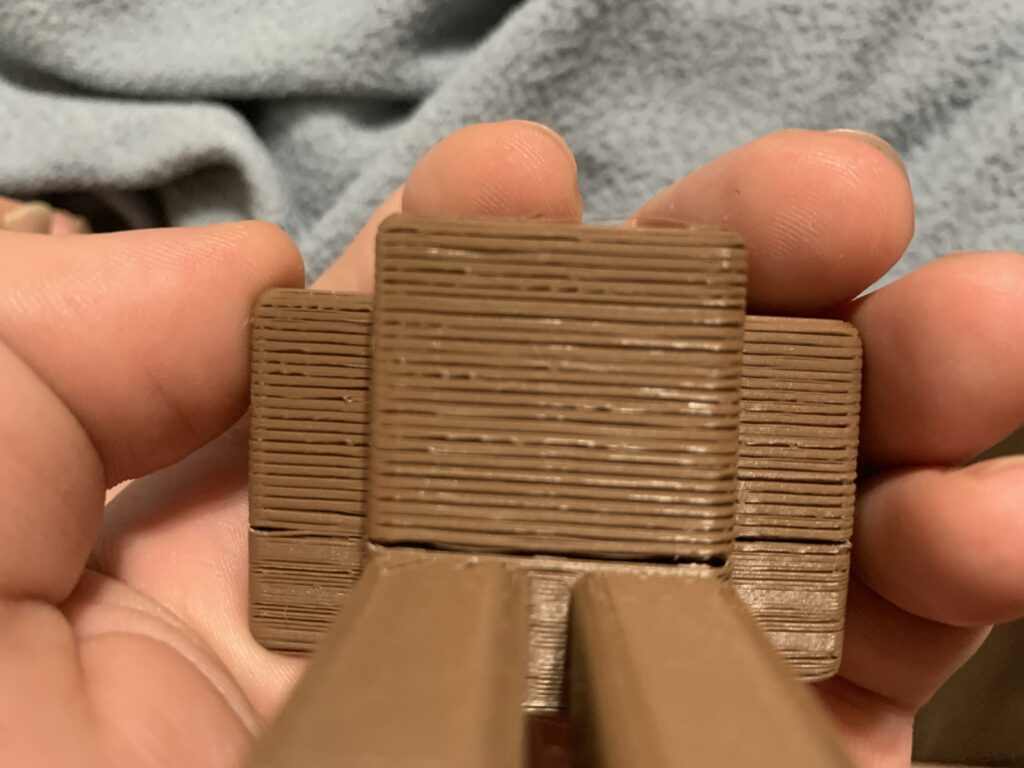
Insufficient interlayer adhesion weakens the model and, as a result, causes it to crack. Possible causes include:
Print temperature is too low
Printing at too low a temperature causes the polymer to cool too quickly, preventing the individual layers of the model from bonding firmly. Raising the print temperature by a few or several degrees will improve the results.
The airflow is too strong
Excessive cooling will also weaken the bonds between layers. For filaments such as PET-G, ABS, ASA, Nylon, and CPE HT, it is recommended to use the minimum airflow setting and, whenever possible, to turn it off (where the model’s geometry does not require it, e.g., overhangs, bridges).
No enclosed chamber
PLA and PLA-based filaments can be easily printed on almost any 3D printer. However, for many materials that require higher temperatures—such as ABS or nylon—it may be necessary to create the right conditions to produce a durable model. The most important factor here is protecting the print from drafts of cool air (e.g., air conditioning, an open window) and maintaining a constant ambient temperature throughout the printing process to prevent the central parts of the model from shrinking.
The layer is too thick
The layer height has a significant impact on the model’s print speed. However, setting this parameter too high can prevent subsequent layers from being “pressed” into the previous ones with sufficient force. It is generally accepted that the proper ratio between the diameter of the nozzle used and the layer height should be approximately 1.25. This means that for a 0.4 mm nozzle, the layer height should not exceed 0.32 mm.
Why do the corners of the printout curl up?
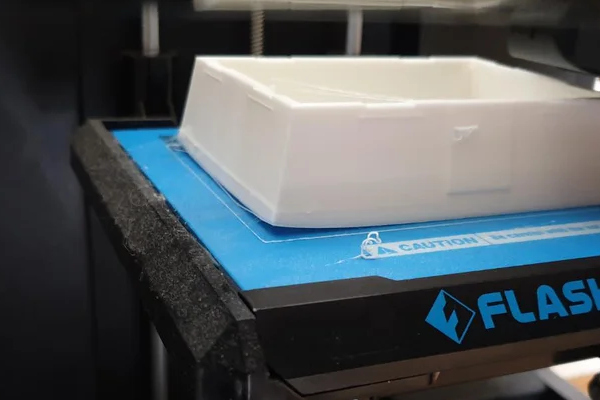
Polymers designed for 3D printing have varying degrees of shrinkage, which classifies them as either easy or difficult to print.
| Materials that are easy to print (low shrinkage) | Relatively easy (relatively low shrinkage) | Materials that are difficult to print (high shrinkage) |
| – PLA – Copolyesters (e.g., PET-G, PCTG) | – ASA – Flexible filaments – PP | – ABS– Nylon– PC |
How can you prevent the bottom layers of a 3D print from shrinking?
Use of Adhesive Preparations
Adhesives help improve the polymer's adhesion to the printer bed.
| Material | Adhesive |
| PLA | masking tape, PVA adhesive, hairspray |
| ABS / ASA | Kapton tape, ABS "juice" |
| PET-G / PCTG | masking tape, hairspray |
| PA12 | Magigoo PA |
| FiberFlex / MattFlex | masking tape |
| PP (Polypropylene) | office tape |
Turning off the airflow in the lower levels
If the lower parts of the model cool down too quickly, the corners may curl up, and as a result, the model may even peel away from the build plate during printing.
Use of a brim or raft
The purpose of the brim and raft is to increase the contact area with the table surface. They are designed to prevent the actual model from lifting off the work surface.
How can you prevent the print from peeling off the build plate?
A print peeling off the build plate or a lack of adhesion on the first layer is one of the most common causes of failure in 3D printing. There can be several reasons for this:
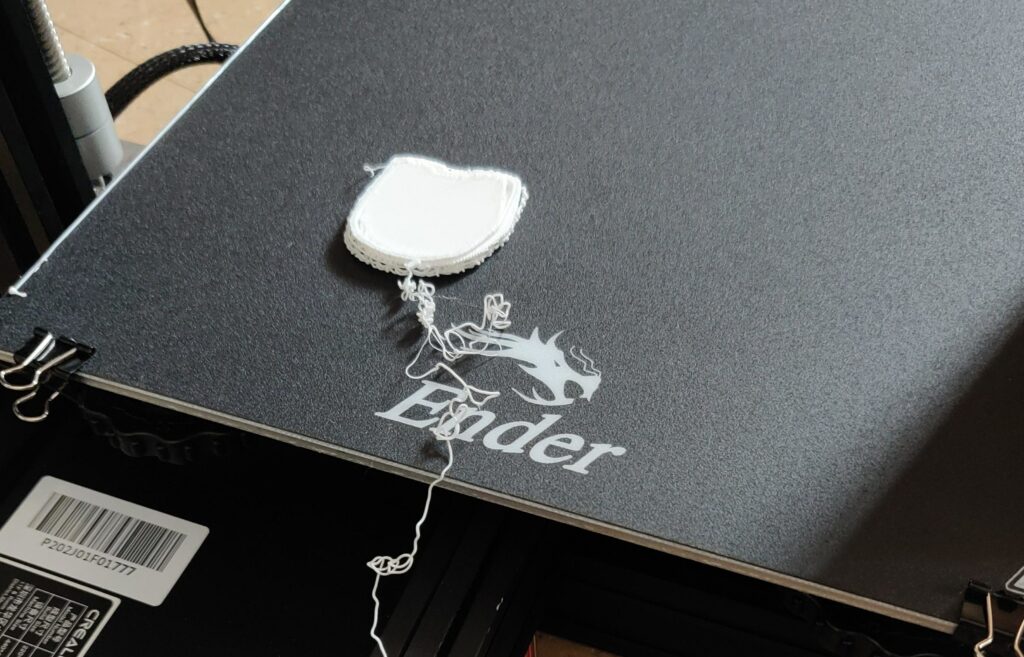
A Dirty Table
It’s a mundane reason, but it’s often the very thing that stands in the way of a successful print. A properly prepared print bed should be free of residue from previous prints and degreased, for example, with window cleaner or vinegar.
A table that isn't level
Depending on the printer, it may be equipped with an automatic table leveling system or may require manual adjustment, for example, by adjusting the tightness of the screws. You can find instructions on how to level the table in your printer's manual.
The nozzle is too far from the table
To achieve a perfect first layer, the correct height of the nozzle above the build plate (Z-axis) is crucial. The ideal layer should be slightly compressed, but the nozzle should not sink into the filament that has already been deposited.
The height of the first layer can be adjusted directly from the printer's control panel by raising the Z-axis in small increments. Setting a negative value moves the nozzle closer to the bed, while setting a positive value moves it farther away.
Low table temperature
Increasing the temperature of the print bed can improve the chances of the polymer adhering properly to its surface. This prevents the material from shrinking as it cools, which is caused by the fan cooling the print as well as drafts on printers with an open chamber.
Recommended table temperatures:
- PLA / FiberFlex: 50–70 °C
- PET-G: 90°C
- ABS / NYLON: 90–110°C
Poor adhesion
If the above tips do not help, it may be necessary to increase adhesion by using additional structures, such as a brim or a raft, or by using adhesion-enhancing agents.
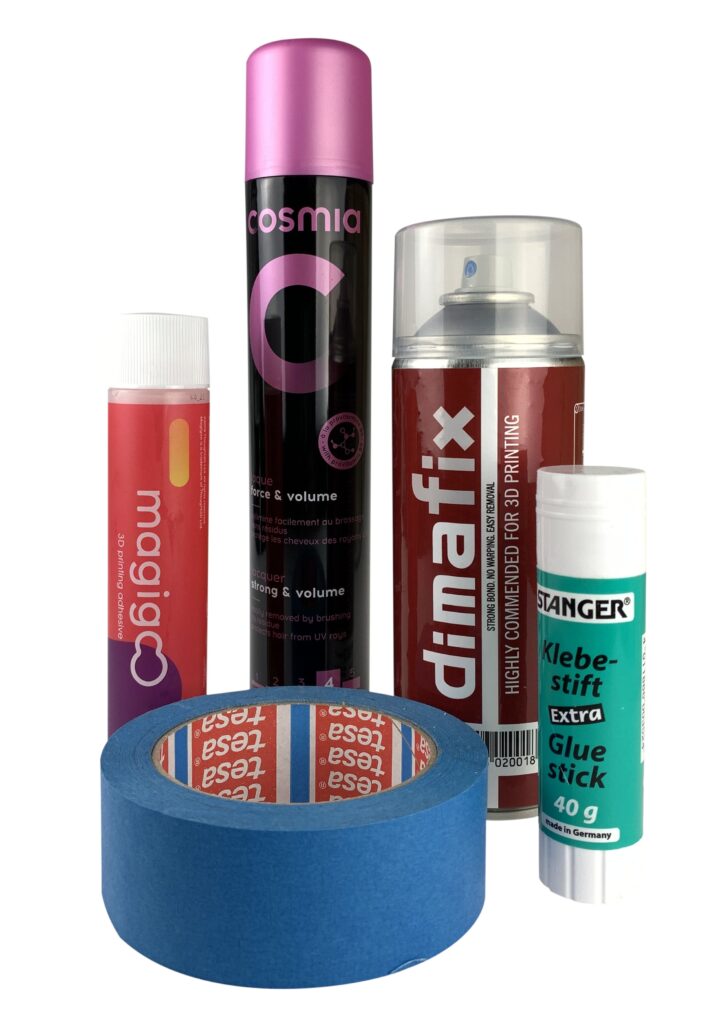
The latter category includes specialized cleaning products such as sprays (e.g., Dimafix) and liquids (Magigoo).
However, it’s not uncommon for household remedies—such as masking tape (e.g., TESA), hairspray, or a PVA glue stick—to work perfectly.
Practical Tips
Can Fiberlogy filament be used in contact with food?
The raw material used in the clear versions of Fiberlogy filaments—PET-G, Easy PET-G, PCTG, and CPE HT—is approved for food contact.
Downloads:
- Declaration of Conformity – PET-G Pure TR
- Declaration of Conformity – Easy PET-G Pure TR
- Declaration of Conformity – PCTG Pure TR
- Declaration of Conformity – CPE HT
If a company intends to manufacture products intended for sale and/or intended to come into contact with food, it is the responsibility of the manufacturer of the final product to obtain all necessary certifications.
Approving the final product (a 3D-printed object) for food contact is a complex issue influenced not only by the raw material but also by the conditions under which the final product is manufactured (the printer, the environment, and the model’s geometry). Microorganisms can accumulate and multiply in the interlayer voids of each print.
Filament and Moisture
Because the polymers used in 3D printing exhibit varying degrees of hygroscopicity—that is, the ability to absorb moisture from the environment—print quality may deteriorate over time. Improper storage of the filament accelerates this process.
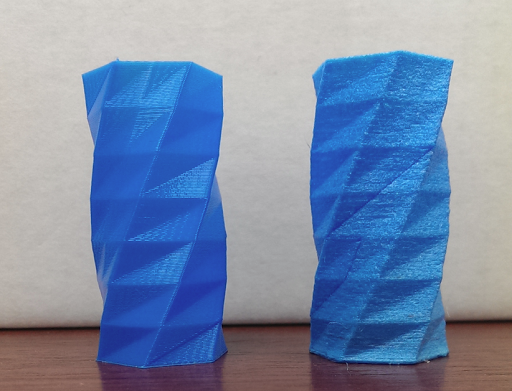
How can you tell if the filament has become damp?
- hissing and filament popping during extrusion from the nozzle;
- weakened adhesion between layers;
- a deterioration in the mechanical properties of the finished prints;
- a deterioration in the visual appearance of the printed surface.
Where should I dry 3D printing filament?
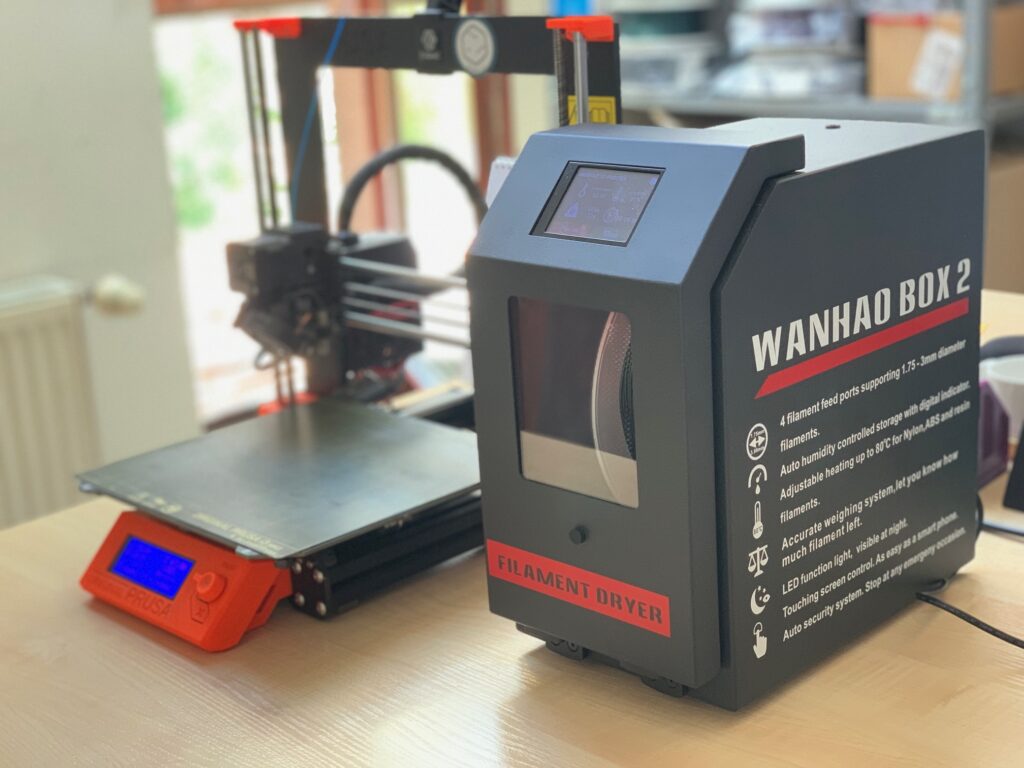
Filament dryer – professional filament dryers are very useful when working with materials that tend to absorb moisture from the environment, and the investment can quickly pay for itself.
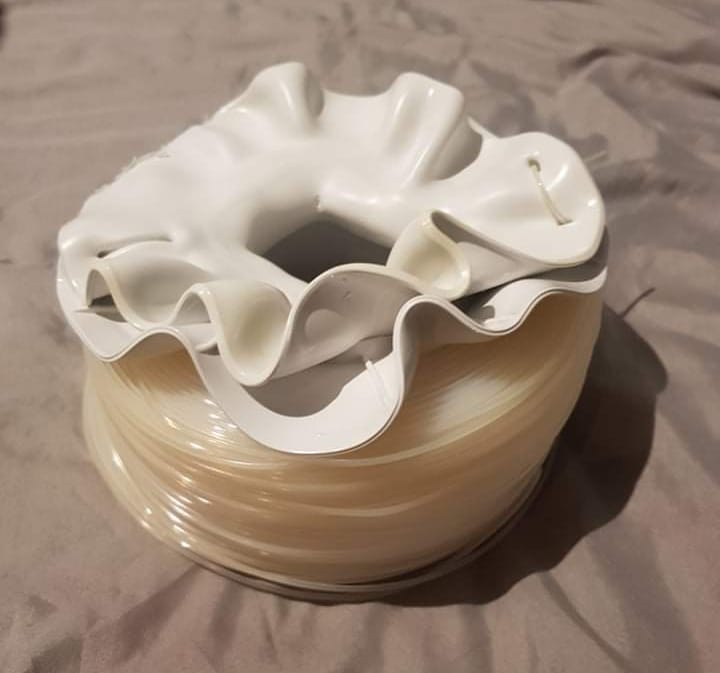
Oven – A home oven works very well as a filament dryer. However, when using it for this purpose, you must be very careful about temperature fluctuations and make sure to set the appliance correctly so that it doesn’t accidentally set to 160°C instead of, say, 60°C. Another important consideration is whether to dry the polymer in an appliance intended for food use—in other words, whether you want your printed object to have a “subtle hint” of nylon or ABS.
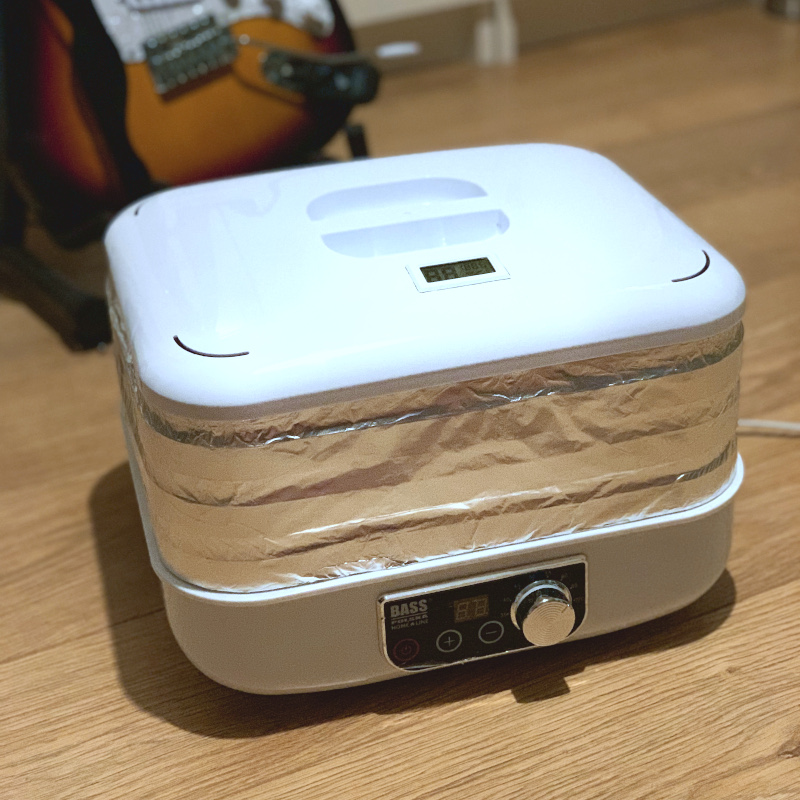
Fruit and Vegetable Dehydrator – With a few minor modifications, popular home food dehydrators can very effectively replace their professional and expensive counterparts.
Filament Temperatures and Drying Times
- PLA, FiberWood: 50°C / 4 hours
- ABS: 60°C / 4 hours
- ASA, PA12+CF15, PA12+GF15: 80°C / 4 hours
- BVOH: 50°C / 4 hours
- PET-G, CPE HT, PCTG: 60°C / 4h
- FiberSatin, FiberSilk: 40°C / 4 hours
- PA12: 70°C / 4 hours
How should I store filament to keep it dry?
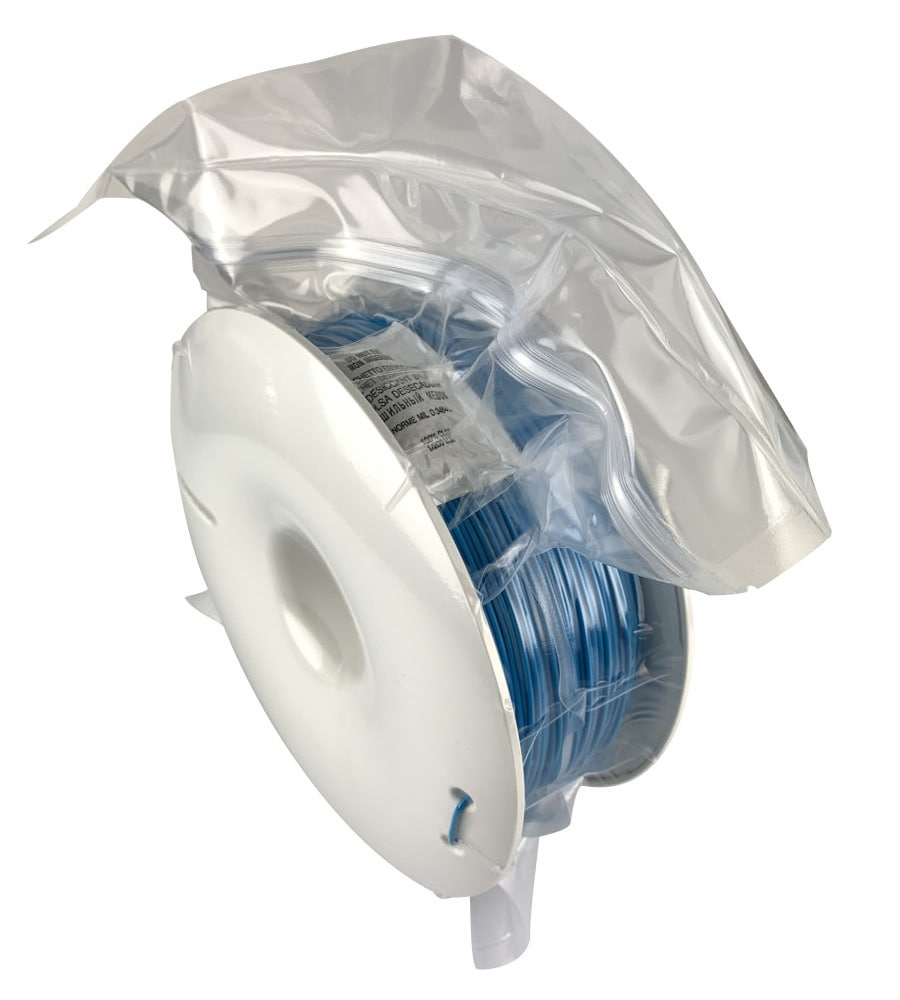
Fiberlogy filament is supplied in a resealable bag with a desiccant. We recommend storing the filament in this bag after each use. Materials such as nylon should be printed directly from a dryer or a tightly sealed container.
General
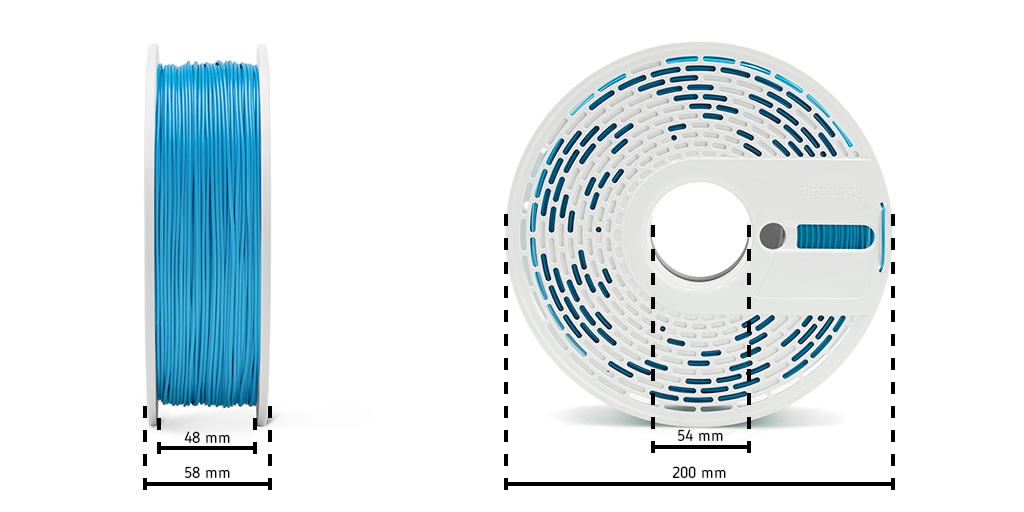
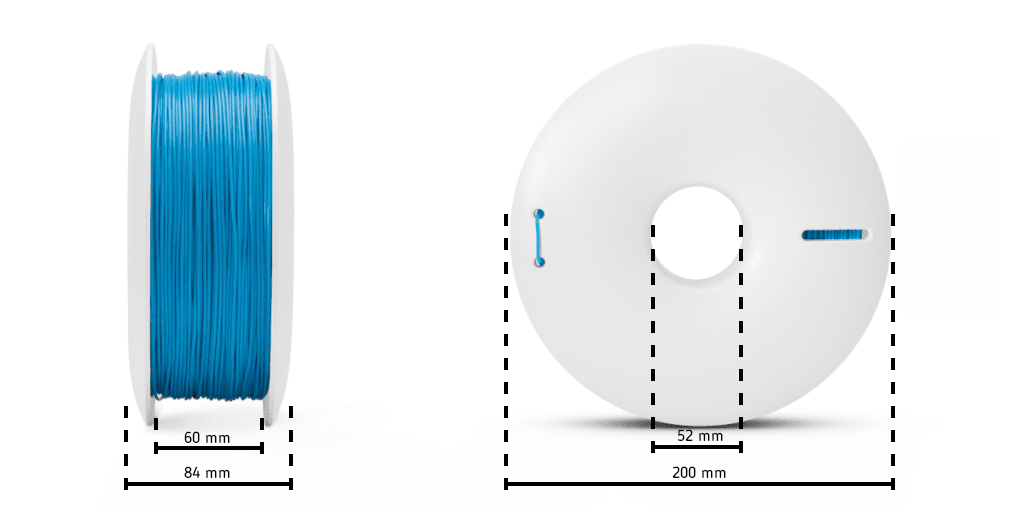
Weight and Dimensions of the Fiberlogy Spool
New Fiberlogy spool: approx. 290 g
Old Fiberlogy spool: approx. 330 g
How do you install a refill on a Fiberlogy spool?
Are Fiberlogy filaments compliant with the RoHS and REACH directives?
All filaments we manufacture comply with the RoHS and REACH directives. More detailed information about the filaments is provided in the MSDS documents published on the individual product pages.
Download: RoHS Declaration
The RoHS Directive, which restricts the use of substances hazardous to the environment.
The RoHS Directive (Restriction of Hazardous Substances), dated January 27, 2003 (2002/95/EC), came into effect on July 1, 2006. This directive was transposed into Polish law by the Regulation of the Minister of Economy of March 27, 2007, on specific requirements regarding the restriction of the use in electronic and electrical equipment of certain substances that may have a negative impact on the environment (Journal of Laws No. 69, item 457). The purpose of the directive is to reduce the amount of hazardous substances released into the environment from electrical and electronic waste.
The RoHS Directive requires manufacturers of electrical and electronic equipment to use the following substances in quantities not exceeding the minimum levels specified by law:Source: gios.gov.pl
- Lead (Pb)
- Mercury (Hg)
- Cadmium (Cd)
- Hexavalent Chromium (Cr+6)
- Polybrominated diphenyl ethers (PBDE)
- Polybrominated biphenyls (PBBs)
REACH is a European Union regulation adopted to improve the protection of human health and the environment from the risks that chemicals may pose, while enhancing the competitiveness of the EU chemical industry. It also promotes alternative methods for assessing the risks posed by substances in order to reduce the number of animal tests.
echa.europa.eu
In general, REACH applies to all chemical substances—not only those used in industrial processes, but also those in our daily lives, such as in cleaning products, paints, and in products like clothing, furniture, and electrical appliances. Therefore, this regulation affects the operations of most companies throughout the EU.
REACH places the burden of proof on companies to conduct studies. To comply with the regulation, companies must identify and manage the risks associated with the substances they manufacture and place on the market in the EU. They must demonstrate to ECHA how a substance can be used safely and are required to provide users with information on risk management measures.
If a risk cannot be managed, authorities may restrict the use of the substance in various ways. Ultimately, the most hazardous substances must be replaced with less hazardous ones.
REACH stands for Registration, Evaluation, Authorization, and Restriction of Chemicals. This regulation entered into force on June 1, 2007.
Can I buy filament on the Fiberlogy website?
Fiberlogy does not sell directly to consumers. Our products are available through a network of resellers in many countries. This makes it easy to access Fiberlogy filaments almost anywhere in the world.
A list of resellers of our 3D printing filaments can be found at this link.
Where can I find models for 3D printing?
Cults3D
One of the fastest-growing websites offering 3D printable models. It features both free and paid models. Cults3D allows you to publish and sell your own models in formats such as STL, OBJ, 3MF, CAD, STEP, and others.
Thingiverse
The oldest and best-known platform offering only free 3D printable models. Owned by MakerBot—a leading manufacturer of 3D printers—the service has been operating since 2008. The website allows users to easily browse models organized by category and places a strong emphasis on education through 3D printing.
MyMiniFactory
It's the perfect place for people looking for high-quality 3D models in the fields of gaming, fan art, art, and architecture. The MMF runs the “Scan the World” project, which provides free access to an extensive database of 3D-scanned works of art from around the world.
Printables
A service owned by PrusaLAB (the manufacturer of, among other products, the Prusa MK3 and Prusa MINI 3D printers), whose database of printable models is growing very rapidly. Most models are available for free, although Printables recently launched a store where users can sell their models. Some models also come with print-ready .gcode files.
Yeggi
This is a useful website that, while not a model database in and of itself, makes it easier to find models. Yeggi is a search engine that aggregates resources from Cults3D, Thingiverse, MyMiniFactory, and other sites, among others.
CGTrader
CGTrader offers access to an extensive database of licensed 3D models, including those designed for 3D printing. Some of them are available for free.
Pinshape
Pinshape is another marketplace where you can purchase 3D printable models. In addition to paid models, free files are also available there. The service was acquired in 2016 by FormLabs, a leader in the 3D printing industry.
MakerWorld
The latest platform from BambuLab—the manufacturer of popular 3D printers. This rapidly growing service provides a space for users to share free models along with ready-made print profiles for specific BambuLab printers.
GrabCAD Library
This website is intended for engineers, designers, manufacturers, and students who are looking for more advanced projects or want to share the results of their work. Not all models listed as suitable for 3D printing will actually print successfully.
What are the applications of 3D printing?
Engineering
3D printers are proving useful in various fields of engineering. Thanks to modern technology, it is possible to create functional prototypes, quickly test their performance and properties, and easily make improvements to the design. The time and cost savings involved in preparing components are also significant.
Recommended filaments: FIBERFLEX 40D, IMPACT PLA.
Education
The education sector is taking full advantage of the benefits offered by 3D printing. It is possible to conduct classes on 3D printing technology or teach CAD design skills, as well as to develop and improve various types of products. The choice of filaments should be based on the nature of the print and the desired result.
Recommended filaments: all.
Production
The manufacturing industry’s expectations are clearly defined: it is important to seek out the best solutions while optimizing costs. Thanks to 3D printing, it is possible to produce concept models or parts in small batches quickly and easily. This allows for testing the functionality of components and reducing expenses associated with high-volume production.
Recommended filaments: IMPACT PLA, EASY PLA, FIBERFLEX 40D.
Product Design
Creating product models using traditional methods can be time-consuming and financially unfeasible. 3D printing is a modern technology that allows you to produce realistic prototypes quickly and at a low cost. It is possible to easily create even highly complex shapes, which allows for efficient revisions and improvements to designs.
Recommended filaments: IMPACT PLA, EASY PLA, HIPS, FIBERWOOD, PLA MINERAL.
Art
Artists particularly appreciate the capabilities of 3D printers, which are used to create jewelry, masks, ornaments, and decorative elements. 3D printing is used in many art studios, where it has become a technology that enables artists to bring even the most unusual projects to life.
Recommended filaments: IMPACT PLA, EASY PLA, HIPS, FIBERWOOD, PLA MINERAL.
Toys
New technologies and the toy industry may seem worlds apart, but they actually have a lot in common. Using a 3D printer, it’s possible to create many original toys for children—toys that would be time-consuming and costly to produce using traditional methods. A variety of modern filaments can be used to make building blocks, characters, animal figurines, and more.
Recommended filaments: IMPACT PLA, EASY PLA, FIBERFLEX 40D, FIBERWOOD.
The new Fiberlogy spool (ABS version) and filament drying
The first versions of the new spool were made of ABS. This could have caused the spool to disintegrate on its own when dried at temperatures above 60°C. To prevent such incidents, we immediately decided to switch to PC (polycarbonate), which is also made entirely from recycled material. A series of tests confirmed that this spool can withstand drying temperatures of up to 90°C.
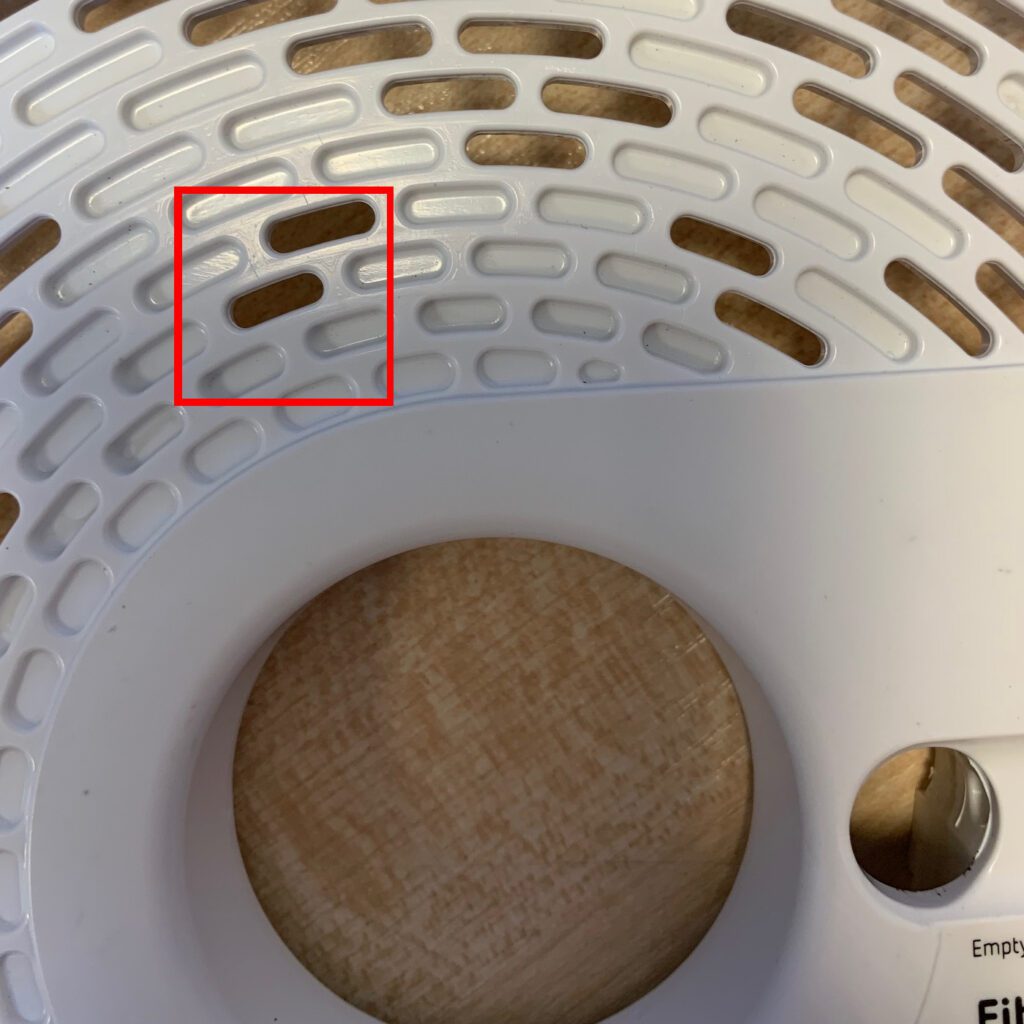
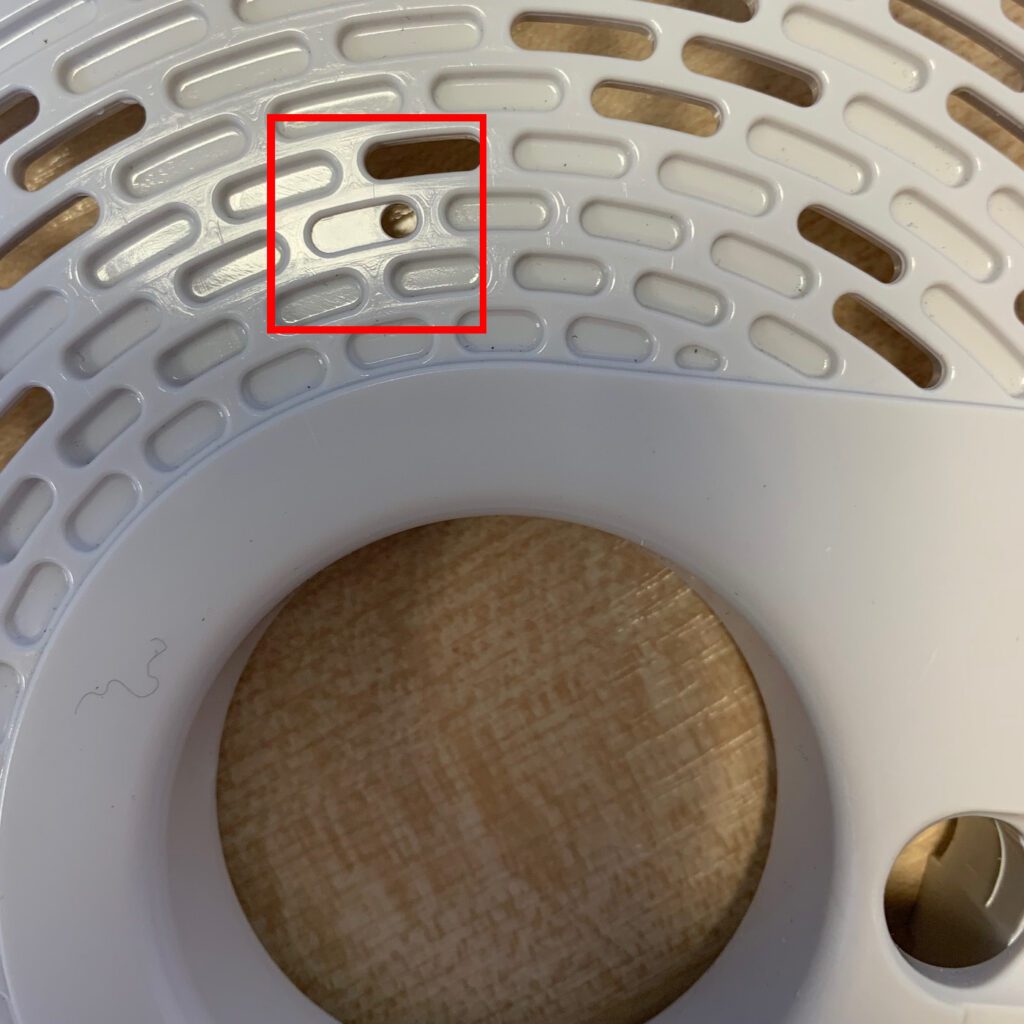
How can you tell if a spool has ABS?
ABS spools are characterized by uniform holes. PC spools have distinctive round holes in the third row, counting from the inside of the spool.
How do you prepare an ABS spool for drying?
To ensure that an older-style spool is not damaged during the drying process, we recommend modifying it by drilling holes near the spool’s core and securing it with cable ties. The video below demonstrates how to perform this procedure.
Downloads
Contact us
Error: Contact form not found.
